

Download Meetup – Find Like‑Minded Groups, Free Social App
Overview
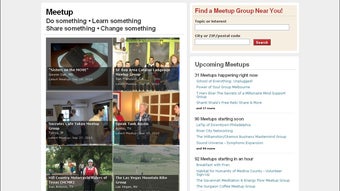
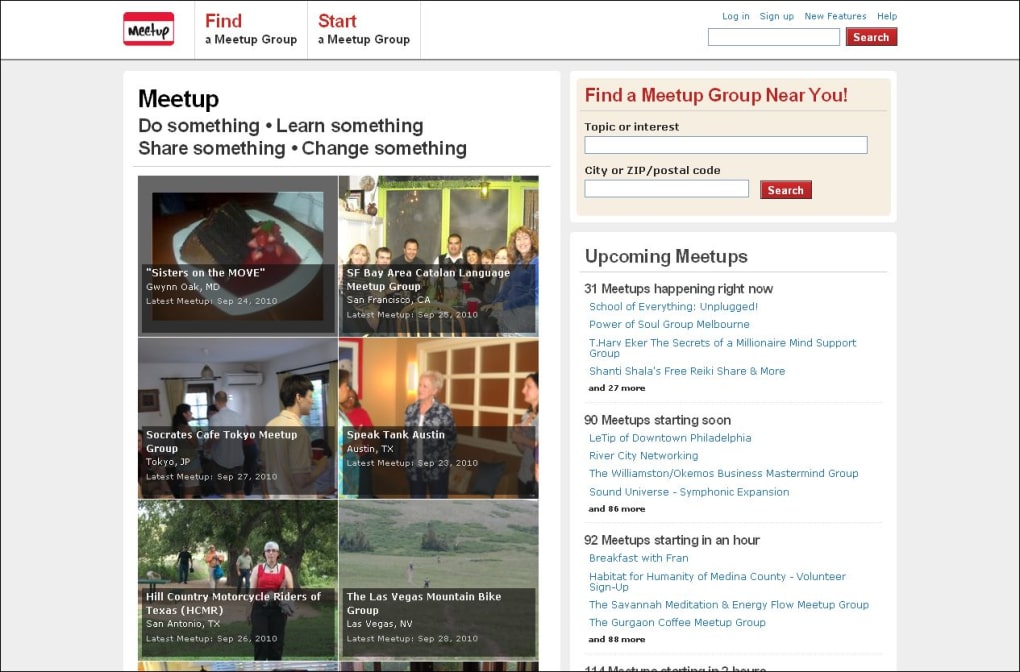
Meetup is a cloud‑based social platform that helps you discover, create, and join local groups centered around shared hobbies, professional interests, or casual activities. Whether you’re looking for a weekend hiking crew, a book‑club discussion, a tech‑startup meetup, or a language‑exchange circle, the service aggregates thousands of community‑run groups across more than 190 countries. By simply typing a keyword or interest into the search bar and entering your city or zip code, you instantly see a curated list of groups that match your criteria.
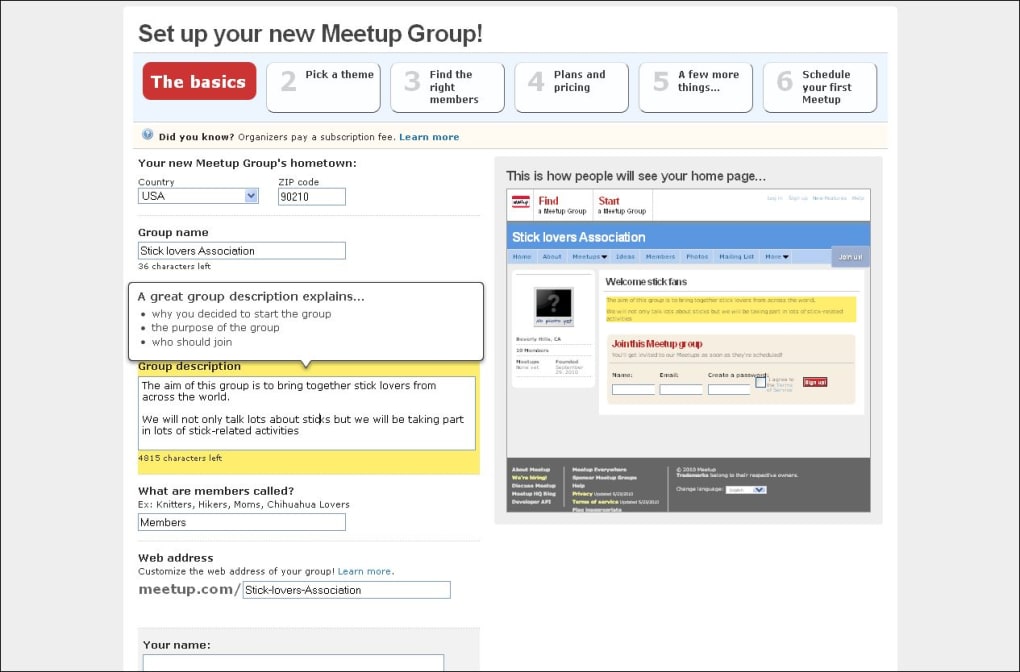
Each group page follows a clean, template‑driven layout that showcases a concise mission statement, upcoming events, member profiles, photo galleries, discussion boards, and mailing‑list options. The platform also offers organizers a straightforward way to customize the look of their group page with pre‑built themes or fully custom designs, making it easy to brand a community the way you envision. While creating a new group requires a modest subscription fee, joining existing groups is free, encouraging a low‑barrier entry for anyone eager to expand their social circle.
One notable drawback is the limited privacy controls; profiles are publicly visible to anyone who browses the site, which may deter users from sharing detailed personal information. Despite this, Meetup remains a powerful, secure, and regularly updated tool for building real‑world connections in a digital age.
Key Features
- Interest‑Based Search: Locate groups by keyword, location, and activity type.
- Event Calendar Integration: View upcoming meetups, RSVP, and add events to personal calendars.
- Member Profiles & Networking: Browse profiles, send messages, and build connections.
- Group Management Tools: Organizers can create events, moderate discussions, and send newsletters.
- Customizable Group Pages: Choose from themed templates or design your own layout.
- Mobile Apps for iOS & Android: Stay updated on the go with push notifications.
- Secure Payments & Subscriptions: Safe checkout for organizers paying the group‑hosting fee.
- Photo & Media Galleries: Share event photos, videos, and documents with members.
- Integration with Calendar Services: Sync events with Google Calendar, Outlook, or Apple Calendar.
- Community‑Driven Support: Access FAQs, forums, and help articles for troubleshooting.
Installation & Usage Instructions
Getting started with Meetup is a straightforward process that works on both desktop browsers and mobile devices. Follow these steps to download, install, and begin exploring groups in your area:
Desktop (Windows/macOS)
- Open your preferred web browser and navigate to www.meetup.com.
- Click the “Sign Up” button in the top‑right corner. You can register using an email address, Google, or Facebook account.
- Complete the onboarding questionnaire by selecting a few interests (e.g., hiking, tech, cooking) and confirming your location.
- Once your profile is set up, use the search bar to type a keyword such as “photography” or “startup”. Enter your city or zip code to narrow results.
- Browse the list of groups, read their descriptions, and click “Join” on any that pique your interest. Some groups may require approval from the organizer.
- To RSVP for an upcoming event, click the event’s card and select “Attend”. You’ll receive email reminders and can add the event to your calendar.
- For organizers, click “Start a Group” from the user menu, choose a template, fill in the group details, and set a monthly subscription fee if desired.
Mobile (iOS & Android)
- Open the App Store (iOS) or Google Play Store (Android) and search for “Meetup”.
- Tap “Install” and wait for the app to download (average size ~45 MB). The app updates automatically with the latest security patches.
- Launch the app and sign in using the same credentials you created on the web.
- The home screen displays personalized group suggestions based on your interests and location.
- Use the “Search” icon to find specific topics, then filter results by distance, popularity, or upcoming events.
- Tap a group to view its page, scroll through photos, read recent discussions, and hit “Join”.
- When you find an event you’d like to attend, tap “RSVP” and enable push notifications for real‑time updates.
- Organizers can create new events directly from the app by selecting “Create Event”, filling in details, and publishing to the group’s calendar.
Both the web and mobile experiences are designed to be secure, with HTTPS encryption for all data transmission. The platform also supports two‑factor authentication (2FA) for added account protection. After installation, the app will check for updates automatically, ensuring you always have the latest features and security fixes.
Compatibility, Pros & Cons
Supported Operating Systems: Meetup works seamlessly on modern Windows (10, 11), macOS (10.14 Mojave and later), Android 6.0+, and iOS 12+. The responsive web design ensures full functionality on any device with a current browser (Chrome, Firefox, Safari, Edge).
Pros
- Extensive global community makes it easy to find niche interest groups.
- Intuitive search and filtering tools reduce the time needed to discover relevant events.
- Free to join most groups; organizer fees are transparent and optional.
- Cross‑platform support (web, iOS, Android) with consistent UI/UX.
- Robust event management features, including RSVP tracking and calendar sync.
- Secure login options, including social sign‑in and two‑factor authentication.
- Active moderation tools help keep groups safe and welcoming.
- Regular software updates improve performance and add new social features.
Cons
- Limited privacy settings; profiles are publicly visible to all site visitors.
- Organizers must pay a monthly subscription, which may deter hobbyists from creating groups.
- Some regional markets have fewer active groups, leading to sparse options in less‑populated areas.
- Push notifications can become frequent if you belong to many active groups.
- Occasional spam invitations from users outside your chosen interests.
Frequently Asked Questions
Is Meetup free to use?
Joining existing groups and attending events is completely free. Organizers pay a subscription fee to host a group, but there is no charge for members to browse or participate.
Can I hide my profile from people who aren’t in my groups?
Currently, Meetup does not offer a privacy option to hide your profile from non‑members. All public profiles can be viewed by anyone using the search function.
How do I create my own Meetup group?
Log in, click “Start a Group” from the user menu, choose a template or custom design, fill in the group name, description, location, and set a monthly subscription fee. Follow the on‑screen prompts to publish.
Is there a mobile app for Meetup?
Yes, Meetup offers free apps for both iOS and Android. They provide full functionality, including event RSVPs, messaging, and group management for organizers.
How secure is my personal data on Meetup?
Meetup uses HTTPS encryption for all data transfers and supports two‑factor authentication. While profile information is public by design, the platform follows industry‑standard security practices to protect account credentials.
Conclusion & Call to Action
Meetup stands out as a reliable, secure, and feature‑rich platform for anyone looking to expand their social network based on shared interests. Its powerful search engine, event management tools, and cross‑platform availability make it easy to find or create a community that fits your lifestyle. While the lack of granular privacy controls may be a concern for privacy‑conscious users, the overall benefits—free access to thousands of groups, seamless mobile experience, and regular updates—far outweigh this limitation for most hobbyists and professionals alike.
If you’re ready to start meeting like‑minded people in your city, simply sign up for a free account today. Explore local events, join groups that match your passions, and consider launching your own community if you have a niche interest that isn’t yet represented. With Meetup’s secure infrastructure and user‑friendly design, building real‑world connections has never been easier.
Download the app now, or browse the web version, and take the first step toward a more social, active, and connected life.



.png)



